

 Start a conversation
Workflow automation with n8n
n8n Claude AI workflow: the current setup, no HTTP Request workaround needed
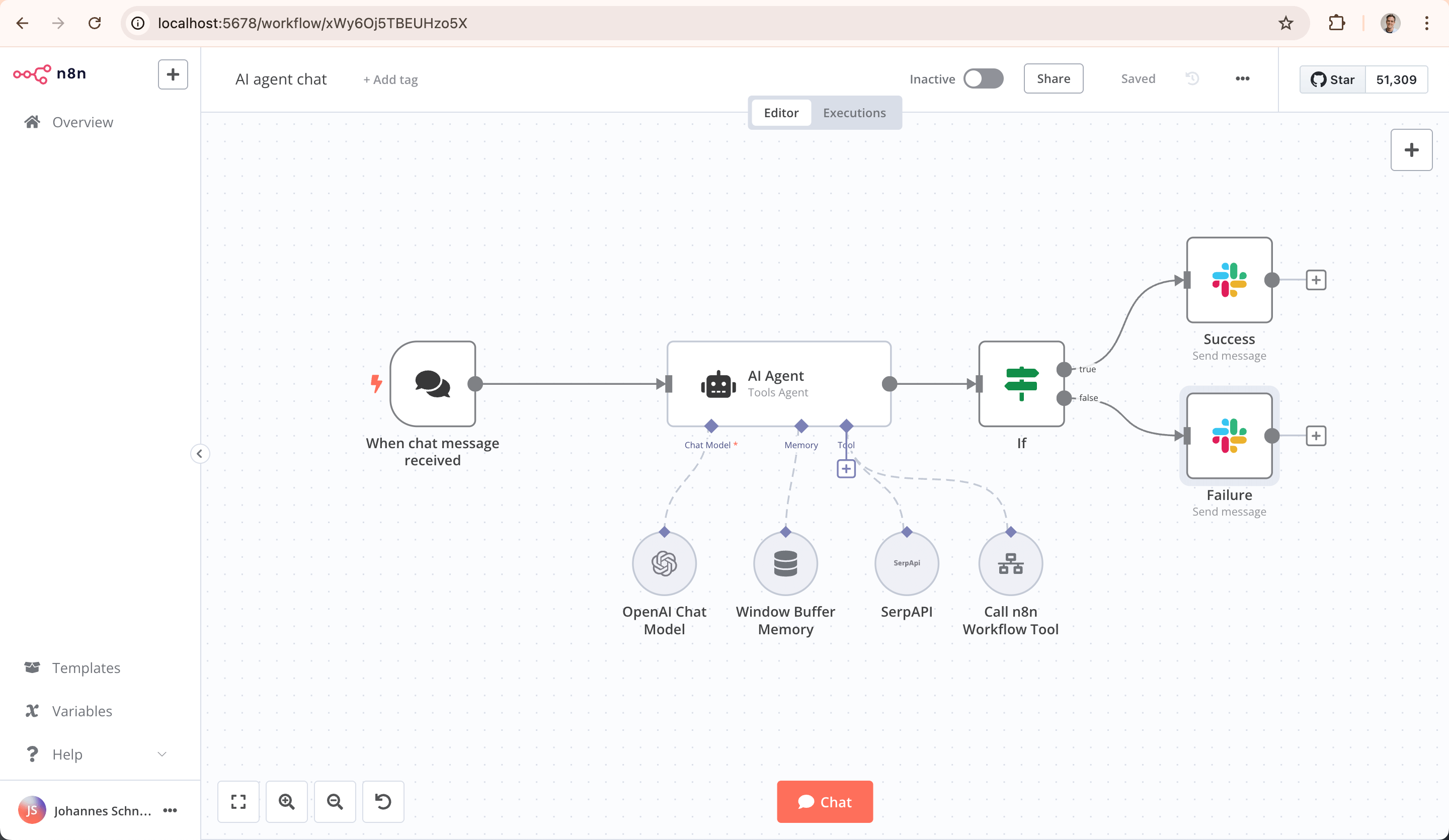
n8n version 1.15 and later ship a native Anthropic credential type that works directly with Chat Model, LLM Chain, and AI Agent nodes. You do not need the HTTP Request node workaround that older tutorials still show you how to build. Stop there.
This matters more than it sounds, because we check the tutorial date before quoting any client project in South Africa. Half the automation briefs we get reference a YouTube walkthrough or forum post that's a year out of date. Someone builds the first draft around an HTTP Request auth layer that no longer exists, testing breaks it, they rebuild mid-project. Get the current state right on day one and you skip that entirely.
Native Anthropic node vs HTTP Request: what's actually current
Why older tutorials tell you to use HTTP Request
Before n8n added native Anthropic support, you manually configured an HTTP Request node: set the endpoint, add the x-api-key header, format the JSON body to match Anthropic's message schema, parse the response yourself. YouTube walkthroughs and blog posts from 2023 and early 2024 still show this because they were published before the native credential landed. If you're following one of those guides today, you're doing unnecessary work and creating a maintenance burden for later.
The native Anthropic credential setup (2026 version)
n8n's Anthropic credential type now supports API key authentication directly, and it plugs into the same LangChain-based node family used for OpenAI, Google Gemini, and other model providers. That means Chat Model, LLM Chain, AI Agent, and Text Classifier nodes all recognize Claude as a first-class option from a dropdown, not a manual integration. No schema mapping, no manual response parsing.
When you still need HTTP Request as a fallback
You'll want HTTP Request for things outside the native node's scope: batch API calls, certain beta headers Anthropic ships ahead of general availability, or workflows that need raw control over streaming responses. In practice, we reach for it on maybe 5% of Claude workflows. The native node covers the rest.
Minimum n8n version required (1.15+)
You need n8n version 1.15 or later for stable native Anthropic support. If you're on an older self-hosted instance, update first. Cloud users get this automatically. Check your version in Settings > About before you start wiring anything, because if you're still on 1.14 or earlier, the Anthropic credential won't appear in the dropdown and you'll assume it doesn't exist.
Setting up Claude in n8n step by step
Getting an Anthropic API key
Sign up at console.anthropic.com, verify your account, and generate an API key under the API Keys section. Anthropic bills in USD, so if you're invoicing South African clients in ZAR, set up exchange rate alerts or budget for the swings. A 10% USD move eats into your margins fast on low-margin automation work.
Adding the credential in n8n settings
In n8n, go to Credentials, click New, search for Anthropic, and paste your API key. Name it clearly: we use naming like "Anthropic - Client Name - Production" and "Anthropic - Internal Testing" because a mislabeled credential is the most common cause of the wrong model being called in production or client B's data being billed to client A's account.
Wiring Claude into Chat Model, LLM Chain, and AI Agent nodes
Drop an AI Agent node onto your canvas, select Anthropic Chat Model as the language model, choose your credential, and pick a model: Haiku for high-volume tagging, Sonnet for general document work, Opus only when the reasoning genuinely needs it. The same credential works across LLM Chain nodes for simple prompt-and-response tasks and Chat Model nodes for conversational flows.
Testing the connection and fixing the invalid API key error
Run a test execution with a basic prompt. If you get an invalid API key error, check three things in order: the key was copied without a trailing space, the key hasn't been revoked in the Anthropic console, and your Anthropic account has billing set up. New accounts without a payment method attached will reject calls even with a valid-looking key. This is the most commonly missed cause, and it doesn't fail with a billing error message; it just says the key is invalid.
Claude vs OpenAI inside an n8n AI Agent node
Context window and long document handling
Claude's context windows handle long documents well, which matters if your workflow processes contracts, transcripts, or multi-page PDFs. If your use case is short-turn chat replies, the context window difference won't move the needle much. For document-heavy workflows, Claude typically costs less per token than OpenAI's largest models while handling the same content.
XML tagging vs OpenAI-style prompting
Claude responds well to XML-style tags in prompts (<document>, <instructions>, <output_format>) to separate sections clearly. OpenAI models tend to work fine with plain markdown or numbered instructions. If you're porting a prompt from GPT to Claude, restructuring it with tags usually improves consistency more than tweaking the wording. We've seen output format compliance improve by 10-15% with structured tags on the same instructions.
Reasoning and structured output differences
Claude tends to follow multi-step instructions and format constraints (strict JSON, specific field names) more reliably in our testing, which matters a lot in n8n workflows where the next node parses the output automatically. A model that occasionally adds a stray sentence before the JSON breaks the whole chain and requires error handling. Claude fails less often at this, which means less error-handling overhead downstream.
When to pick Haiku, Sonnet, or Opus for cost control
Haiku for high-volume, low-complexity tasks like tagging or short classification. It's roughly 80% cheaper than Sonnet for the same output quality on simple work. Sonnet as the default for most agent and document work; it's the best cost-to-capability ratio. Opus only when the task genuinely needs deeper reasoning, since it costs 3-4x more per token and most automation workflows don't need it. Run a small test batch through both Sonnet and Opus first; you'll often find Sonnet is fine and you just saved 70% on a client's monthly Claude bill.
Is n8n with Claude actually agentic, or just AI-assisted automation
Deterministic workflow with AI steps vs autonomous agents
An n8n workflow with an AI Agent node is not an autonomous agent roaming free. It's a deterministic sequence of nodes where one or more steps happen to call an LLM. The AI Agent node can use tools you define (an HTTP call, a database lookup, a sub-workflow) and decide which to call based on the input, but the overall workflow structure, triggers, and branching logic are still fixed by you. This is actually the point; chaos would be a liability.
Where n8n's sweet spot is: operations, not open-ended reasoning
n8n earns its keep on repeatable operational tasks: read this, classify it, write it here, notify that person. It's not built for open-ended reasoning loops where an agent plans and re-plans across dozens of steps with no human checkpoints. If you need that, you're closer to a custom agent framework than a workflow tool. It's worth comparing how n8n compares to Make and Zapier and when n8n beats writing custom code before committing to either direction.
How this constraint is actually a feature for production
A workflow that does the same five things every time, with an AI step in the middle, is easier to test, monitor, and debug than a fully autonomous agent. If something goes wrong, you know which node failed instead of guessing why an agent went off-script. We can audit a workflow for compliance, rate limits, error patterns, and cost overruns because the structure is fixed. You can't do that with a free-ranging agent.

Real use cases that work in production
Document analysis and data extraction
Claude reads a PDF or scanned document, extracts structured fields (invoice number, line items, totals), and passes them to a database or spreadsheet node. This is one of the most reliable AI use cases in n8n because the output format is predictable and easy to validate. We've run this on thousands of invoices and supplier documents without the kind of hallucination or parsing chaos you see with unstructured analysis.
Customer support automation on WhatsApp
Claude classifies incoming WhatsApp messages, drafts replies, and routes anything it's not confident about to a human. This depends entirely on getting the WhatsApp integration right first, which is covered in connecting WhatsApp to n8n. The AI part is straightforward once the plumbing is done.
Content generation pipelines
Draft generation for social posts, product descriptions, or email sequences, with a human review step before publishing. Claude's steadier tone and instruction-following make it a good fit for brand voice consistency across a content pipeline. You still need a human approval node before publishing; don't skip that and expect Claude to self-regulate.
Lead qualification and CRM enrichment
Claude reads an inbound lead's message or form submission, scores it, enriches it with extra context, and writes it to your CRM. See building CRM automation in n8n for the fuller pattern. This works best when you have a clear rubric for what makes a lead worth enriching, which Claude can follow more reliably than you'd expect.
Cost, caching, and error handling
Prompt caching to cut token costs
Anthropic's prompt caching lets you cache large, repeated blocks of context so you're not paying full input token price on every call. For workflows that send the same instruction set or document repeatedly, this can cut costs meaningfully. If you're processing a standardized contract with 10,000 tokens of boilerplate, caching saves money on every subsequent call.
Free credits and realistic monthly spend in ZAR
Anthropic offers limited free credits for new accounts, enough to test a workflow but not to run it in production. Realistic monthly spend for a small business workflow doing a few thousand calls a month with Sonnet and caching enabled runs like this: 5,000 calls at 2,000 average input tokens and 500 output tokens per call, with caching, typically costs $20-40 USD monthly, which is roughly 350-700 ZAR at current rates. Document size matters more than call count; a single 50-page PDF costs more than 100 short chat messages. Budget conservatively and monitor actual usage in your first month before quoting a client a fixed monthly fee.
Handling 429 rate limits with Wait node and exponential backoff
When Claude returns a 429, don't just let the workflow fail. Add a Wait node with exponential backoff before retrying, and use an Error Trigger workflow to catch failures and alert someone if retries are exhausted. This is standard practice for handling errors so workflows don't fail silently, and it's the difference between a workflow that quietly drops WhatsApp messages and one that recovers on its own and notifies you when it can't.
Self-hosting n8n to control infra cost and data residency
Self-hosting removes n8n's cloud subscription fee and gives you control over where your instance runs. This matters both for cost at scale and for the compliance conversation below. See self-hosting n8n vs using the cloud version for the tradeoffs. At volume, self-hosted is cheaper; it also gives you a cleaner story for where your workflow logs and data live.
Running this in a South African business
POPIA considerations when Claude processes customer data
This is the part most guides skip entirely, and it's where demos become liabilities. Claude's API sends your data to Anthropic's servers, which sit outside South Africa. If your workflow processes customer conversations, ID documents, or personal information from WhatsApp, that's a cross-border transfer of personal information under POPIA, and it needs a proper legal basis, not just a working demo. At minimum, get a data processing agreement in place and check Anthropic's data retention and training-use policies before you send real customer data through. We don't run customer data through Claude without this groundwork done first.
Self-hosted vs cloud n8n for compliance and cost
A self-hosted n8n instance doesn't change where Claude processes the data, but it does give you a clean story for everything upstream: where conversation logs live, who can access them, and how long you retain them. Combined with a proper POPIA-compliant consent flow, this is the difference between a demo and something you can defend to a client's compliance team. It also costs less at scale. Our breakdown of whether WhatsApp automation is POPIA compliant goes deeper on the legal side.
Where we've built this stack for real clients
We've built this exact stack for South African clients in fintech, legal services, and logistics: self-hosted n8n, Claude for document and conversation processing, WhatsApp Business API as the front end, with the compliance groundwork done before launch. The auth setup and the compliance setup happen in the same conversation because they have to; bolting POPIA on after launch gets expensive and slow. If you're evaluating custom AI development in South Africa, that's the baseline we start from.
Common questions
Does n8n have a native Claude node or do I need HTTP Request? n8n version 1.15+ has native Anthropic credential support built into Chat Model, LLM Chain, and AI Agent nodes. You don't need HTTP Request for standard use. Reserve HTTP Request for edge cases like custom headers, beta endpoints, or raw streaming control the native node doesn't yet expose. If you're on n8n 1.14 or earlier, update first.
How do I authenticate Claude in n8n? Generate an API key in the Anthropic console, go to n8n Credentials, create a new credential, search for Anthropic, and paste the key in. Name the credential clearly: include the client name and environment so you don't bill client B's traffic to client A's account. This happens more often than you'd think.
What n8n version do I need for Anthropic integration? You need n8n 1.15 or later for stable native Anthropic support. Cloud users are on the latest version automatically. Self-hosted instances need a manual update if you're running anything older; otherwise the Anthropic option won't appear in the credential or model dropdowns at all, which feels like it doesn't exist when it actually just needs an upgrade.
Should I use Claude or OpenAI in n8n's AI Agent node? Claude generally handles longer documents, follows strict formatting instructions more reliably, and responds well to XML-tagged prompts. OpenAI models are a solid default for shorter conversational tasks. For document-heavy or structured-output workflows, we default to Claude and only switch to OpenAI if Claude doesn't handle the task well.
How much does running Claude through n8n cost per month? For a small business workflow doing a few thousand calls monthly with Sonnet and prompt caching enabled, expect 350-700 ZAR a month, depending on document size and volume. Test actual usage for a month before committing to a fixed client price, since document length swings cost more than call count does. Set up cost alerts in the Anthropic console so you catch overages early.
How do I fix the invalid API key error with Claude in n8n? Check for a trailing space when the key was copied, confirm the key hasn't been revoked in the Anthropic console, and confirm your Anthropic account has a payment method attached. New accounts without billing set up will reject valid-looking keys, which is the most commonly missed cause and not obvious from the error message.
How do I handle Claude API rate limits (429 errors) in n8n? Add a Wait node with exponential backoff before retrying the call, and wire an Error Trigger workflow to catch failures after retries are exhausted so someone gets notified instead of the workflow silently dropping the task. This keeps rate limits from turning into lost customer messages or missed data.
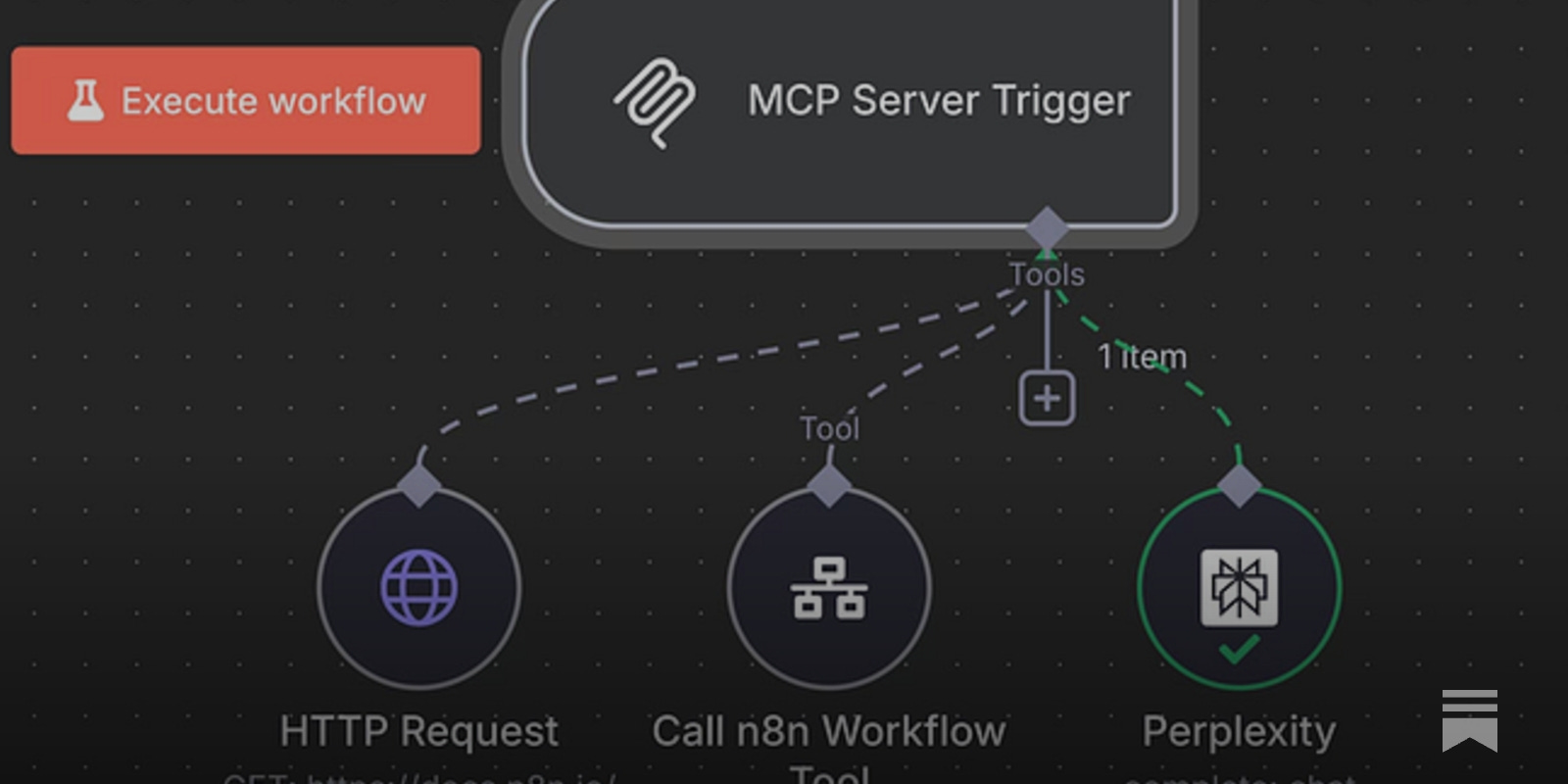
Can Claude trigger n8n workflows directly from a chat conversation? Yes, through n8n's instance-level MCP server, which exposes a workflow as a callable tool that Claude or another MCP client can trigger mid-conversation. This works well for lookups and simple actions triggered from chat, but complex branching logic still needs to be designed and tested by a human first.
Is n8n's AI Agent node truly agentic or just AI-assisted? It's AI-assisted within a deterministic structure. The AI Agent node can choose which tool to call based on input, but the overall workflow, triggers, and branches are fixed by the builder. It's not an autonomous agent planning freely across open-ended steps, which is actually what makes it reliable in production.
What's the difference between n8n's AI Agent node and Claude Code? The AI Agent node runs inside a workflow as one step among many, making tool-use decisions within a fixed structure at runtime. Claude Code is a development tool that writes and edits the workflow itself, including generating n8n's underlying JSON. One executes, the other builds.
Is it safe and POPIA compliant to run customer data through Claude via n8n? Not automatically. Claude's API processes data on servers outside South Africa, which counts as a cross-border transfer under POPIA. You need a proper data processing agreement, clear retention policies, and self-hosted n8n controlling everything upstream before you run real customer data through it. Don't ship the demo first and add compliance later; it costs more and you'll have to rebuild.
If you're weighing whether to build this yourself or want a second opinion on an existing setup, message us on WhatsApp and we'll talk through what actually fits your workflow. You can also read more on Sagentics AI automation and document automation for quotes and invoices if that's closer to your use case.
Common questions
Does n8n have a native Claude node or do I need HTTP Request?
n8n version 1.15+ has native Anthropic credential support built into Chat Model, LLM Chain, and AI Agent nodes. You don't need HTTP Request for standard use. Reserve HTTP Request for edge cases like custom headers, beta endpoints, or raw streaming control the native node doesn't yet expose. If you're on n8n 1.14 or earlier, update first.
How do I authenticate Claude in n8n?
Generate an API key in the Anthropic console, go to n8n Credentials, create a new credential, search for Anthropic, and paste the key in. Name the credential clearly: include the client name and environment so you don't bill client B's traffic to client A's account. This happens more often than you'd think.
What n8n version do I need for Anthropic integration?
You need n8n 1.15 or later for stable native Anthropic support. Cloud users are on the latest version automatically. Self-hosted instances need a manual update if you're running anything older; otherwise the Anthropic option won't appear in the credential or model dropdowns at all, which feels like it doesn't exist when it actually just needs an upgrade.
Should I use Claude or OpenAI in n8n's AI Agent node?
Claude generally handles longer documents, follows strict formatting instructions more reliably, and responds well to XML-tagged prompts. OpenAI models are a solid default for shorter conversational tasks. For document-heavy or structured-output workflows, we default to Claude and only switch to OpenAI if Claude doesn't handle the task well.
How much does running Claude through n8n cost per month?
For a small business workflow doing a few thousand calls monthly with Sonnet and prompt caching enabled, expect 350-700 ZAR a month, depending on document size and volume. Test actual usage for a month before committing to a fixed client price, since document length swings cost more than call count does. Set up cost alerts in the Anthropic console so you catch overages early.
How do I fix the invalid API key error with Claude in n8n?
Check for a trailing space when the key was copied, confirm the key hasn't been revoked in the Anthropic console, and confirm your Anthropic account has a payment method attached. New accounts without billing set up will reject valid-looking keys, which is the most commonly missed cause and not obvious from the error message.
How do I handle Claude API rate limits (429 errors) in n8n?
Add a Wait node with exponential backoff before retrying the call, and wire an Error Trigger workflow to catch failures after retries are exhausted so someone gets notified instead of the workflow silently dropping the task. This keeps rate limits from turning into lost customer messages or missed data.
Is n8n's AI Agent node truly agentic or just AI-assisted?
It's AI-assisted within a deterministic structure. The AI Agent node can choose which tool to call based on input, but the overall workflow, triggers, and branches are fixed by the builder. It's not an autonomous agent planning freely across open-ended steps, which is actually what makes it reliable in production.
Is it safe and POPIA compliant to run customer data through Claude via n8n?
Not automatically. Claude's API processes data on servers outside South Africa, which counts as a cross-border transfer under POPIA. You need a proper data processing agreement, clear retention policies, and self-hosted n8n controlling everything upstream before you run real customer data through it. Don't ship the demo first and add compliance later; it costs more and you'll have to rebuild.
About Sagentics
Sagentics is an AI systems studio based in South Africa. We design and build WhatsApp automation, n8n workflows, and custom AI products for local and international clients. We write from systems we have actually shipped.
Start a WhatsApp conversation with SagenticsRelated reading
- Document automation for quotes and invoices: how to build the full loop in n8n
- n8n workflow automation guide: what it is, what it costs, and whether it's right for your business
- n8n vs Make vs Zapier: which one actually wins in 2026
- Self-hosting n8n vs cloud: what actually decides it
- what n8n actually does and what it costs
- how n8n compares to Make and Zapier
- self-hosting n8n vs using the cloud version
- handling errors so workflows don't fail silently
- when n8n beats writing custom code
- connecting WhatsApp to n8n
- building CRM automation in n8n
- document automation for quotes and invoices
- whether WhatsApp automation is POPIA compliant
- custom AI development in South Africa
- Sagentics AI automation