

 Start a conversation
Workflow automation with n8n
Document automation for quotes and invoices: how to build the full loop in n8n
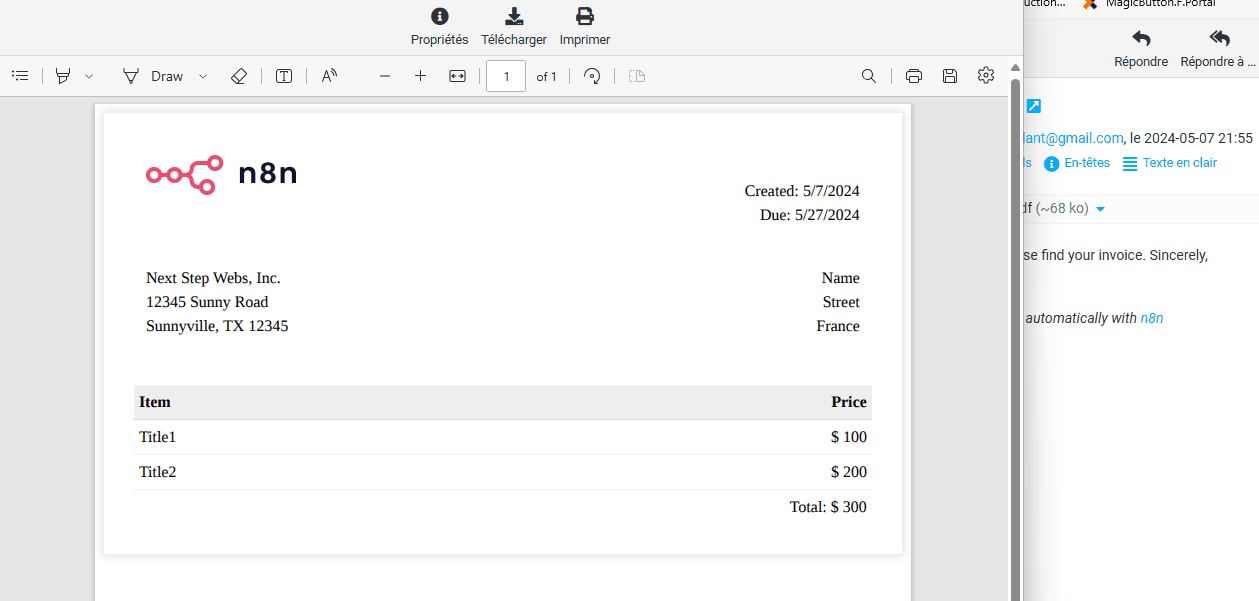
n8n can automate the entire quote-to-invoice-to-paid cycle by generating quotes, converting them to tax invoices on approval, extracting data from supplier documents using OCR or AI, and pushing everything to your accounting system, WhatsApp, and payment links via PayFast or Yoco. Running it on infrastructure you control matters the moment POPIA comes up in a client conversation, and this isn't hypothetical: it's a workflow pattern we build repeatedly for South African businesses tired of retyping numbers between quote templates, accounting packages, and banking apps.
Most guides treat "invoice automation" as one problem. It's actually two separate problems, and conflating them is why so many DIY attempts stall halfway.
What document automation actually means here
Quote to invoice conversion vs invoice data extraction, two different problems
Converting a quote into an invoice is a generation problem. You already have structured data (line items, client details, VAT), and you're transforming it into a new document once a condition is met, usually client approval. Extracting data from an incoming invoice is a reading problem. You're given an unstructured PDF, photo, or scanned document from a supplier and you need to pull out the amount, VAT number, and bank details reliably. These need different tools inside the same workflow, and treating them as one step is the first mistake most templates make.
OCR-based extraction vs AI/LLM-based structuring
OCR reads characters off an image. It's fast and cheap but it doesn't understand context, so it can misread a "5" as an "S" or grab the wrong number as the total. AI/LLM-based extraction (feeding the document, or OCR output, to a model with a structured prompt) understands what a VAT number should look like versus a phone number, and can flag when something doesn't fit the expected pattern. For South African documents specifically, where VAT numbers, ZAR formatting, and local bank account layouts vary between suppliers, LLM-based structuring catches errors that pure OCR sails straight past.
Where n8n sits in the stack (not an accounting tool, a connector)
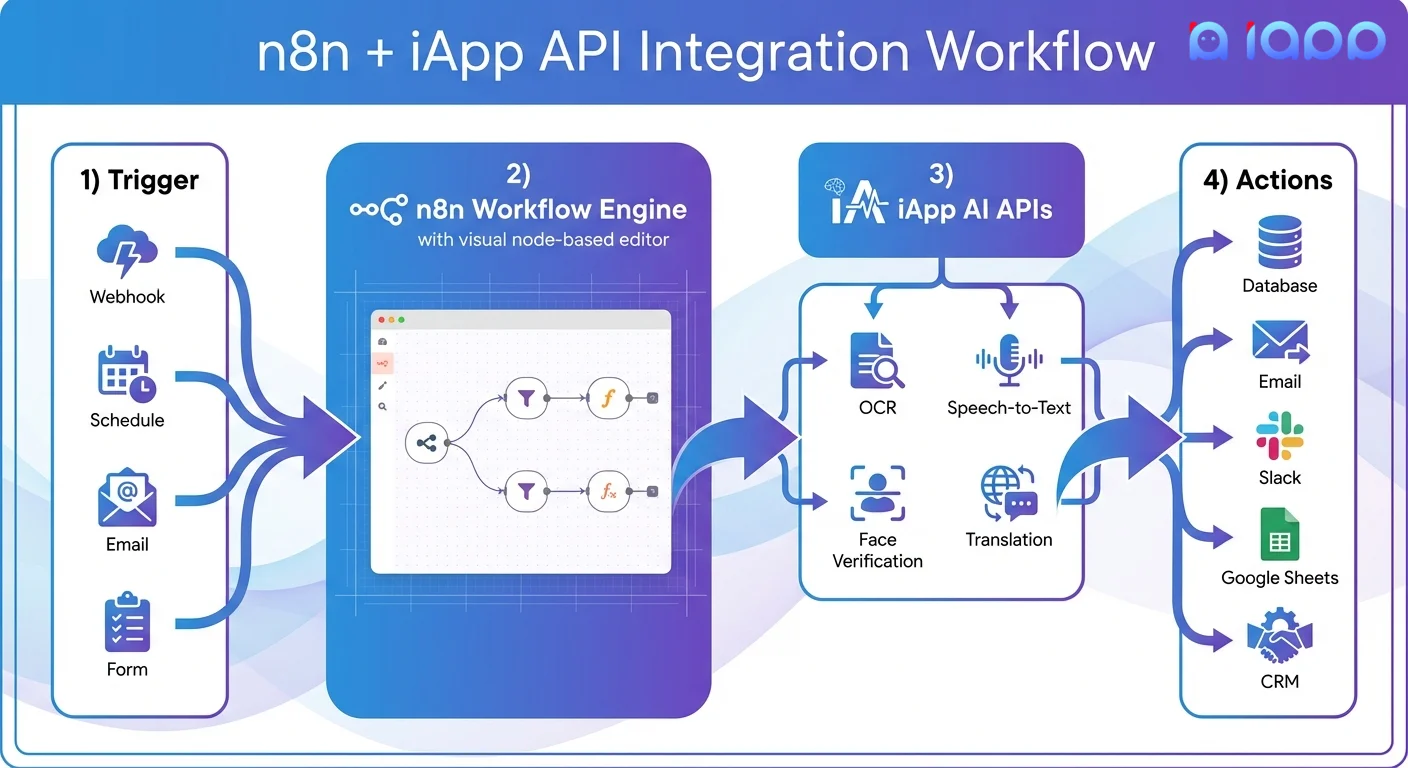
n8n isn't Xero or Sage. It doesn't hold your books. It's the layer that watches for triggers (a form submission, an incoming email, a WhatsApp message), runs the generation or extraction logic, and pushes clean data into the systems that already do the actual work: your accounting platform, your CRM, your payment gateway. Read our full breakdown of how n8n workflow automation actually works if you want the underlying mechanics before you build on top of it.
How the n8n workflow is built end to end
Trigger: quote request, form submission, or incoming PDF/email
The loop starts somewhere concrete: a website form, a WhatsApp message asking for pricing, or a supplier email with an attached invoice. n8n's trigger nodes watch these inputs continuously, so nothing sits in an inbox waiting for someone to notice it.
Generation: building the quote and converting to a tax invoice on approval
Once the trigger fires, n8n populates a quote template with the client's details and line items, generates a PDF, and sends it out. When the client approves (a WhatsApp reply, a clicked link, a signed field), that same data flows into an invoice template, now with a tax invoice number, VAT breakdown, and payment terms attached. No one retypes anything between the quote stage and the invoice stage, which is where most manual processes lose time and accuracy.
Extraction and validation for scanned invoices from suppliers
For incoming supplier invoices, the workflow runs the document through OCR or an LLM extraction step, pulls out the key fields, and validates them against expected formats (VAT number length, ZAR currency patterns, known supplier bank details). Anything that passes validation moves forward automatically.
Sync to accounting (Sage, Xero, QuickBooks ZA) and CRM
Validated data gets pushed into whichever accounting platform you run locally, whether that's Sage, Xero, or QuickBooks ZA, using their respective APIs. At the same time, client and deal data can update your CRM, so sales and finance are looking at the same numbers without a manual export-import step. If you're building this alongside a sales pipeline, it's worth looking at building CRM automation properly in n8n so the invoice loop and the deal pipeline don't end up as separate silos.
Delivery over WhatsApp Business API instead of email
Instead of emailing a PDF that sits unread, the quote or invoice gets delivered through WhatsApp Business API, where South African clients actually respond. Delivery confirmation, read receipts, and quick reply buttons for approval all happen inside a channel people check constantly, which shortens the gap between "quote sent" and "quote approved" considerably.

Getting paid: PayFast, Yoco, and SnapScan inside the workflow
Attaching a payment link to the invoice automatically
The moment the invoice is generated, n8n can call the PayFast or Yoco API to create a payment link scoped to that exact invoice amount, then attach it to the WhatsApp message or PDF automatically. The client doesn't hunt for banking details or manually enter an amount, they tap a link and pay.
Webhook confirmation and marking invoices paid without manual reconciliation
Both PayFast and Yoco send a webhook notification when a payment clears. n8n listens for that webhook, matches it to the relevant invoice record, and marks it paid in your accounting system automatically. This eliminates the monthly ritual of cross-checking bank statements against outstanding invoices line by line. For the full mechanics of this piece, see accepting payments through WhatsApp using PayFast or Yoco.
Why n8n has no native PayFast/Yoco node and how to bridge it with webhooks
n8n doesn't ship a native PayFast or Yoco node out of the box, which trips people up when they go looking for one. The fix is straightforward: use n8n's HTTP Request node to call their APIs directly, and a Webhook node to receive their payment confirmations. It's a five-minute setup once you've done it once, but it's not obvious from the node library, and it's the single most common reason DIY builds stall at the payment step.
The exception-handling problem nobody talks about
Low-confidence extractions and human review queues
No extraction system is 100% accurate, and pretending otherwise is how bad data ends up in your books. A properly built workflow scores each extracted field for confidence and routes anything below a threshold to a human review queue instead of pushing it straight through. This is where how human-in-the-loop escalation works becomes relevant; the same escalation logic used in AI-driven WhatsApp support applies directly to document processing.
SA-specific extraction issues: VAT numbers, ZAR formatting, local bank details
Generic OCR templates, mostly built for US or UK invoice formats, routinely mishandle South African specifics: ten-digit VAT numbers, ZAR amounts written with spaces instead of commas, and local bank account and branch code formats that don't match the patterns these tools were trained on. A workflow tuned for SA documents needs explicit validation rules for these fields, not a generic template pulled from a US-focused automation library. We've seen basic templates fail to catch a misread VAT number on 30% of scanned supplier invoices in the first week of deployment because they lacked these rules.
What breaks when you skip this and ship straight to accounting
Skip the review queue and you get invoices posted with the wrong VAT number, payments matched to the wrong client, or totals that are off by a decimal point because a scanned document was slightly skewed. These errors are invisible until your bookkeeper or SARS finds them, which is a far more expensive place to catch a mistake than a review queue.
POPIA and the self-hosting argument
Why cloud invoicing SaaS creates a data residency question
Most cloud invoicing SaaS platforms process and store your client and financial data on servers outside South Africa, often without a clear answer to where exactly that data lives or who can access it. That's not automatically a POPIA violation, but it does put the burden of proof on you if a client or the Information Regulator ever asks.
Self-hosted n8n as the stronger POPIA position
Running n8n on infrastructure you control, whether that's a South African-hosted VPS or your own server, means your client data, invoice contents, and payment records never leave a system you can point to directly. It doesn't automatically make you compliant, but it removes an entire category of question about third-party data handling. We've laid out the tradeoffs in detail in self-hosting n8n vs using the cloud version if you're weighing infrastructure decisions.
What actually needs to be true for compliance, not just marketing claims
Self-hosting alone isn't a compliance certificate. You still need a documented lawful basis for processing personal information, retention limits, encrypted storage, and access controls on who inside your business can see client data. For a straight rundown of what needs to be actually true rather than implied, see what actually needs to be true for POPIA compliance.
DIY template vs built-for-you workflow
Under 20 invoices a month, consistent vendors: a basic template works
If you're processing under 20 invoices a month from a handful of consistent suppliers, a basic n8n template with straightforward field mapping will likely cover you. The variability is low enough that OCR errors are rare and easy to catch by eye.
Hundreds of invoices, multiple vendors, ERP or three-way matching: build it properly
Once you're dealing with hundreds of invoices a month, dozens of suppliers with inconsistent formats, or you need three-way matching against purchase orders and delivery notes, a template stops being enough. You need custom validation logic, a proper review queue, and integration with whatever ERP or accounting system you're already running. This is closer to custom AI development built for South African businesses than a copy-paste automation.
What it costs to have this built in South Africa
A properly scoped quote-to-invoice-to-paid workflow, built and tested against your real documents rather than a demo dataset, typically runs from the low tens of thousands of rand for a single-vendor setup to significantly more for a multi-entity build with ERP integration and custom extraction rules. The build cost is almost always recovered within a few months once you account for the hours currently lost to manual capture and reconciliation.
n8n vs Zapier vs Make for this specific use case
Where Make's native PayFast integration matters
Make has stronger native integrations for some South African payment gateways than n8n does out of the box, which can shave setup time off a simple build if PayFast is your only requirement and you don't need self-hosting.
Where self-hosted n8n wins on cost and data control
For anything beyond a simple use case, self-hosted n8n wins on both cost (no per-task pricing once you're hosting it yourself) and data control, since nothing routes through a third-party cloud by default. This matters more as invoice volume, and therefore the amount of client financial data flowing through the system, grows.
When Zapier's template library is actually the faster route
If you genuinely just need a quote form to fire off a PDF and an email, Zapier's template library can get you there in an afternoon with no code. It's the right tool for that narrow job. It stops being the right tool the moment you need conditional logic, review queues, or webhook-based payment reconciliation. For a fuller comparison, see n8n vs Make vs Zapier compared for 2026.
What this actually saves
Cost per invoice: manual vs automated
Manual invoice processing, including capture, checking, and reconciliation, typically costs a business somewhere between R80 and R150 per invoice once you account for staff time. Automated processing, once the workflow is built, brings that down to single digits per invoice, with most of the remaining cost being API usage for extraction on genuinely difficult documents.
Where the 2025 stats agree and where they conflict
Global industry figures on invoice automation savings vary widely, some claiming 80% time reduction, others closer to 60%, largely because they're measured against different baseline processes. The consistent thread across the numbers that actually hold up under scrutiny is that most of the saving comes from eliminating manual data re-entry and reconciliation, not from speeding up any single step.
Realistic numbers for a South African SME, not UK/US benchmarks
Most SA benchmark figures quoted online are lifted from UK or US case studies with different labour costs and invoice volumes. For a South African SME processing 50 to 200 invoices a month, a realistic expectation is 10 to 15 hours of admin time saved monthly, plus faster payment collection from WhatsApp delivery, which tends to matter more to cash flow than the processing time saving itself.
Common questions
How do I automate invoice processing with n8n? Build a workflow that triggers on an incoming document or form, extracts data using OCR or AI, validates it against expected formats, then pushes it to your accounting system. Add a webhook for payment confirmation and a review queue for low-confidence extractions. Start with one supplier or client type before scaling to your full volume.
Can n8n generate PDF invoices automatically? Yes. n8n can populate a PDF template with client, line item, and VAT data using HTML-to-PDF or dedicated PDF generation nodes, triggered automatically once a quote is approved or a condition is met. The generated invoice can then be delivered by email or WhatsApp without manual intervention.
What's the difference between OCR-based and AI-based invoice extraction? OCR reads text off an image without understanding context, so it's fast but prone to misreads on similar-looking characters. AI/LLM-based extraction understands what a field should look like, catching errors OCR misses, particularly on inconsistent supplier layouts and South African-specific fields like VAT numbers.
How much does invoice automation save per invoice? Manual processing typically costs R80 to R150 per invoice in staff time. Automated processing brings that down to single digits per invoice once the workflow is built, with savings concentrated in eliminated re-entry and faster reconciliation rather than any single processing step.
Is n8n better than Zapier or Make for invoice automation in South Africa? For simple, low-volume needs, Zapier or Make can be faster to set up. For anything with custom validation, review queues, POPIA-sensitive data, or webhook-based payment reconciliation, self-hosted n8n wins on cost and data control as volume grows.
Can n8n integrate with Yoco, PayFast, or SnapScan? Yes, though not through a native node. You bridge the connection using n8n's HTTP Request node to call their APIs and generate payment links, and a Webhook node to receive payment confirmations, which then update your invoice and accounting records automatically.
How do I convert a quote to an invoice automatically with n8n? Store the quote data structurally, then trigger a conversion step when the client approves, whether through a WhatsApp reply, a clicked link, or a signed field. That trigger repopulates an invoice template with the same data plus tax invoice numbering and terms, and sends it out immediately.
What happens when a scanned invoice is low quality or extraction confidence is low? The workflow should score each extracted field for confidence and route anything below a set threshold to a human review queue instead of posting it straight to accounting. This catches skewed scans, unusual formats, and misread fields before they become incorrect entries in your books.
Is self-hosted n8n more POPIA compliant than cloud invoicing SaaS? Self-hosting puts your client and financial data on infrastructure you control, removing questions about third-party data residency that cloud SaaS raises. It's a stronger starting position but not automatic compliance; you still need documented processing bases, retention limits, and access controls in place.
How many invoices per month justifies a custom-built workflow instead of a template? Under 20 invoices a month from consistent suppliers, a basic template usually covers you. Once you're past roughly 50 to 100 invoices a month, dealing with multiple vendor formats, or need ERP integration and three-way matching, it's worth building the workflow properly rather than stretching a template.
If you're weighing whether your invoice volume justifies a custom build, or you just want a second opinion on a template that's not holding up, Sagentics AI automation services covers exactly this kind of work. Send us a message on WhatsApp and we'll tell you honestly whether it's worth building.
Common questions
How do I automate invoice processing with n8n?
Build a workflow that triggers on an incoming document or form, extracts data using OCR or AI, validates it against expected formats, then pushes it to your accounting system. Add a webhook for payment confirmation and a review queue for low-confidence extractions. Start with one supplier or client type before scaling to your full volume.
Can n8n generate PDF invoices automatically?
Yes. n8n can populate a PDF template with client, line item, and VAT data using HTML-to-PDF or dedicated PDF generation nodes, triggered automatically once a quote is approved or a condition is met. The generated invoice can then be delivered by email or WhatsApp without manual intervention.
What's the difference between OCR-based and AI-based invoice extraction?
OCR reads text off an image without understanding context, so it's fast but prone to misreads on similar-looking characters. AI/LLM-based extraction understands what a field should look like, catching errors OCR misses, particularly on inconsistent supplier layouts and South African-specific fields like VAT numbers.
How much does invoice automation save per invoice?
Manual processing typically costs R80 to R150 per invoice in staff time. Automated processing brings that down to single digits per invoice once the workflow is built, with savings concentrated in eliminated re-entry and faster reconciliation rather than any single processing step.
Is n8n better than Zapier or Make for invoice automation in South Africa?
For simple, low-volume needs, Zapier or Make can be faster to set up. For anything with custom validation, review queues, POPIA-sensitive data, or webhook-based payment reconciliation, self-hosted n8n wins on cost and data control as volume grows.
Can n8n integrate with Yoco, PayFast, or SnapScan?
Yes, though not through a native node. You bridge the connection using n8n's HTTP Request node to call their APIs and generate payment links, and a Webhook node to receive payment confirmations, which then update your invoice and accounting records automatically.
How do I convert a quote to an invoice automatically with n8n?
Store the quote data structurally, then trigger a conversion step when the client approves, whether through a WhatsApp reply, a clicked link, or a signed field. That trigger repopulates an invoice template with the same data plus tax invoice numbering and terms, and sends it out immediately.
What happens when a scanned invoice is low quality or extraction confidence is low?
The workflow should score each extracted field for confidence and route anything below a set threshold to a human review queue instead of posting it straight to accounting. This catches skewed scans, unusual formats, and misread fields before they become incorrect entries in your books.
Is self-hosted n8n more POPIA compliant than cloud invoicing SaaS?
Self-hosting puts your client and financial data on infrastructure you control, removing questions about third-party data residency that cloud SaaS raises. It's a stronger starting position but not automatic compliance; you still need documented processing bases, retention limits, and access controls in place.
How many invoices per month justifies a custom-built workflow instead of a template?
Under 20 invoices a month from consistent suppliers, a basic template usually covers you. Once you're past roughly 50 to 100 invoices a month, dealing with multiple vendor formats, or need ERP integration and three-way matching, it's worth building the workflow properly rather than stretching a template.
About Sagentics
Sagentics is an AI systems studio based in South Africa. We design and build WhatsApp automation, n8n workflows, and custom AI products for local and international clients. We write from systems we have actually shipped.
Start a WhatsApp conversation with SagenticsRelated reading
- n8n workflow automation guide: what it is, what it costs, and whether it's right for your business
- n8n vs Make vs Zapier: which one actually wins in 2026
- Self-hosting n8n vs cloud: what actually decides it
- n8n lead capture CRM automation: how to build it right for a South African business
- how n8n workflow automation actually works
- accepting payments through WhatsApp using PayFast or Yoco
- self-hosting n8n vs using the cloud version
- what actually needs to be true for POPIA compliance
- n8n vs Make vs Zapier compared for 2026
- building CRM automation properly in n8n
- how human-in-the-loop escalation works
- custom AI development built for South African businesses
- Sagentics AI automation services