

 Start a conversation
Workflow automation with n8n
n8n lead capture CRM automation: how to build it right for a South African business
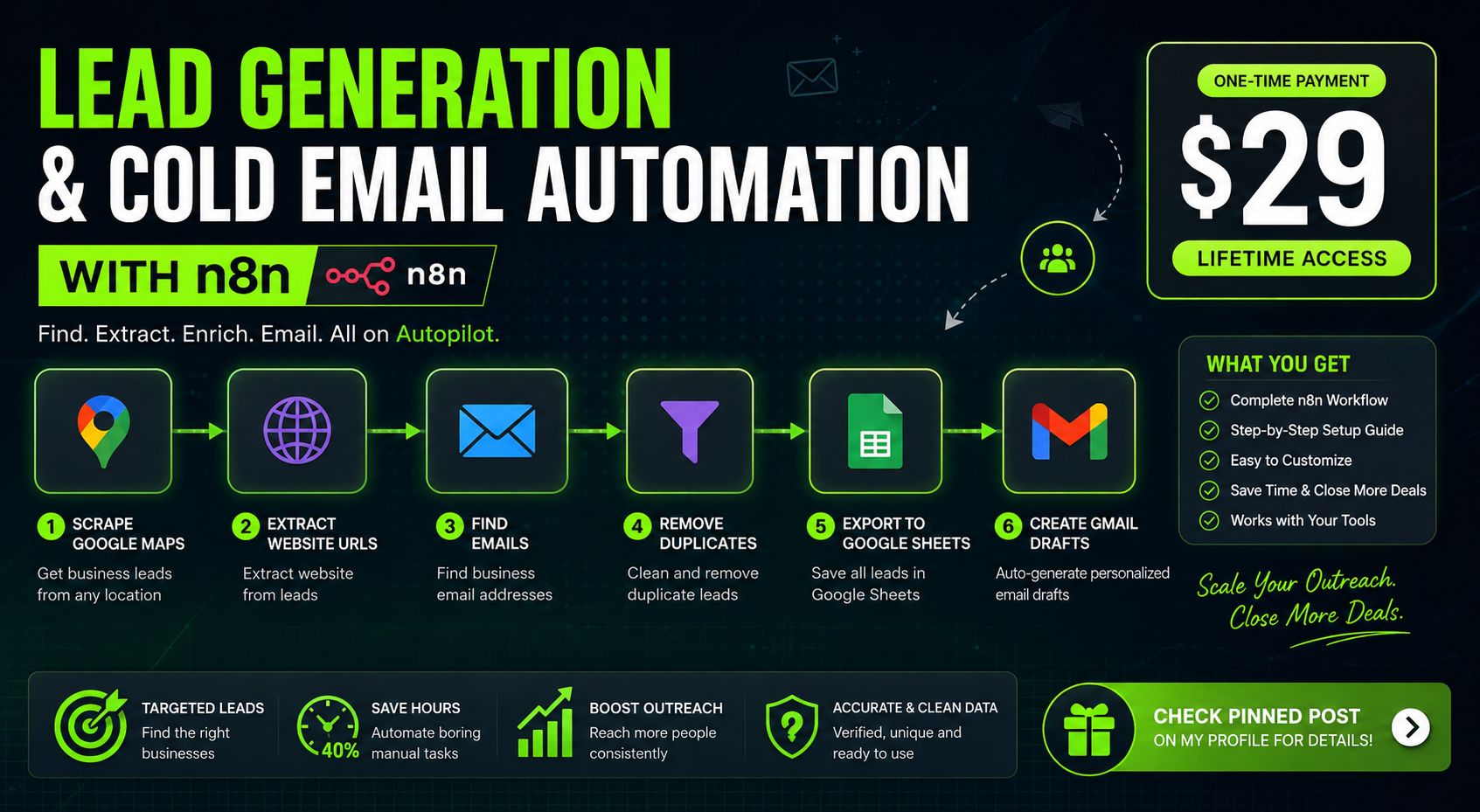
n8n lead capture CRM automation means building a workflow where a webhook or trigger catches a lead the moment it comes in from a form, WhatsApp, or ad platform, validates and deduplicates the data, then pushes a clean record into your CRM with routing and notifications. The real business win isn't the CRM push itself, it's the five-minute response window: studies consistently show that contacting a lead within five minutes dramatically increases conversion odds, and most teams lose this window because data entry and duplicate checking still happen manually.
What n8n lead capture CRM automation actually means
The core loop: intake, validate, dedupe, enrich, score, route, push, notify
Every working lead capture system runs the same eight-step loop regardless of source. A lead comes in (intake), you check the fields make sense (validate), you check it's not already in the CRM (dedupe), you pull in extra context like company size or location (enrich), you rank it against your ideal customer profile (score), you decide who should see it and when (route), you write it to the CRM (push), and you tell the right human it landed (notify). Miss any one of these steps and the automation looks like it's working while quietly filling your CRM with junk.
Why n8n and not just your CRM's native forms
Most CRMs ship with basic form-to-record capture. It works fine if every lead arrives through one form on one page. It falls apart the moment leads come from three or four sources with different field structures, or when you need conditional logic before the record gets created. n8n sits between all your intake sources and the CRM, so you write the validation and routing logic once and every source benefits from it. If you're new to the tool, our guide covers what n8n actually is and what it costs to run in more detail.
n8n is not a CRM, it's the layer that connects everything else to one
Worth saying plainly: n8n has no pipeline view, no deal stages, no reporting dashboard built for sales teams. It's an orchestration layer. It catches data, cleans it, and moves it. The CRM stays the system of record. Confusing these two roles is one of the most common ways these builds go wrong, and we'll come back to that later.
Why speed and data hygiene matter more than the tool
The five-minute response window and why it's worth building for
Contact a lead within five minutes and you're dramatically more likely to reach them before they explore other options. Contact them after thirty minutes and the odds drop hard. This isn't theory: follow-up studies from companies like HubSpot and InsideSales consistently find this same curve. This is the actual business case for automation. It's not about saving an admin ten minutes a day, it's about the difference between a lead that converts and one that goes cold because nobody looked at the form submission until the next morning.
Where CRM data actually breaks: forms, WhatsApp, ad leads, hand-typed notes
Web forms give you structured fields but people still type "N/A" in the phone field. WhatsApp gives you a first name, maybe, and a message that might be a voice note. Facebook and Google lead ads give you whatever fields you configured, often with placeholder-looking test data mixed in. Hand-typed notes from a call get copied into the CRM with typos and inconsistent formatting. Every one of these sources breaks a naive "just push it to the CRM" workflow differently.
The manual cost of not automating this: SDR time lost to data entry
Sales reps spend a meaningful chunk of their week on data entry that has nothing to do with selling: copying WhatsApp messages into CRM notes, manually checking if a contact already exists, typing the same welcome reply for the fifth time that day. That's paid time going into work a workflow can do in under two seconds per lead. For a small sales team, this is often the single biggest efficiency gain available before you touch anything else in the funnel.
How to structure the workflow in n8n
One webhook as the canonical entry point
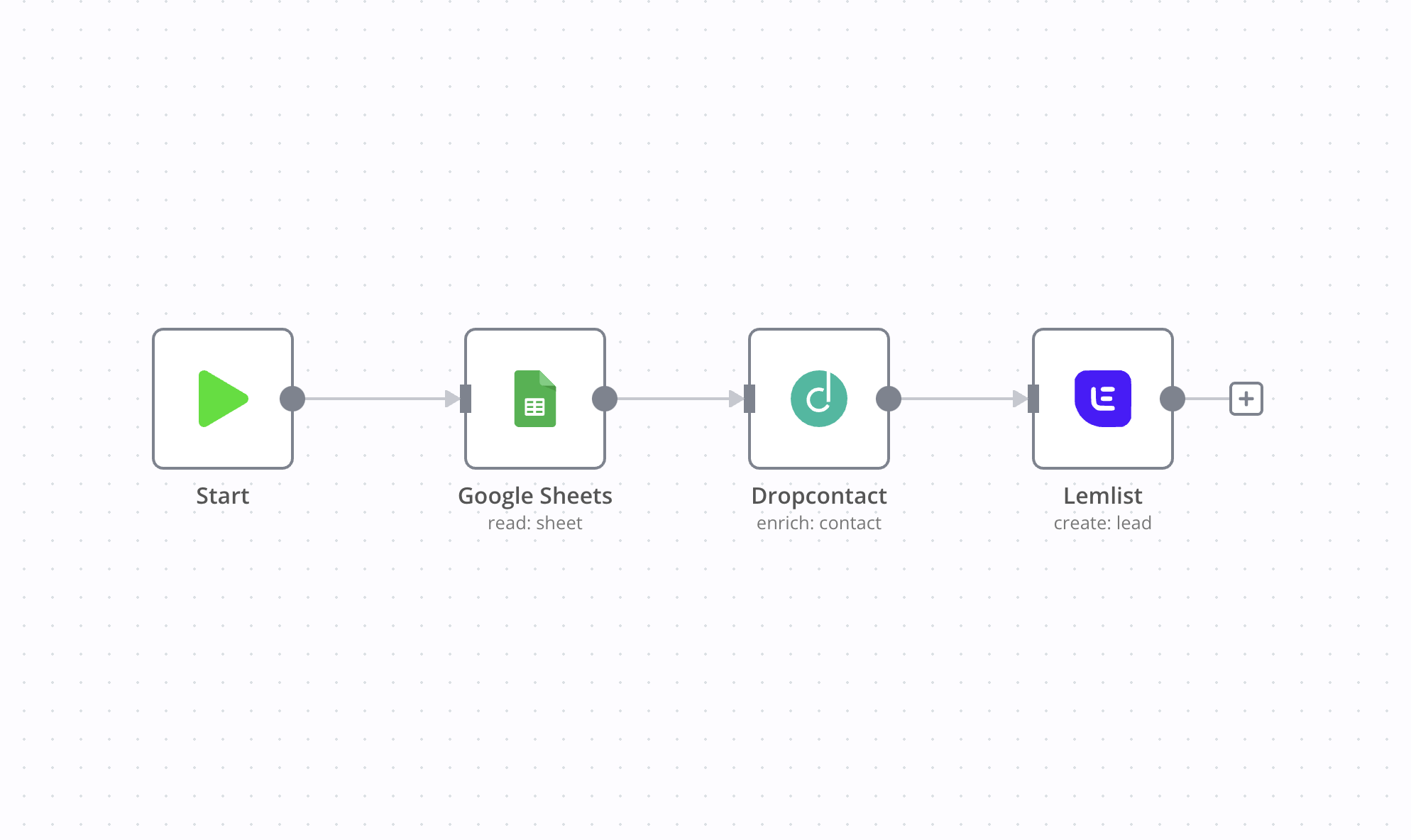
The cleanest pattern uses a single webhook as the canonical entry point for all leads, regardless of source. Web form submissions post to it. A WhatsApp trigger normalizes its payload and forwards it internally. Ad platform webhooks (Meta Lead Ads, Google Lead Form extensions) map their fields to the same schema before hitting the same entry node. This means your validation, dedupe, and routing logic lives in one place instead of being duplicated across four separate workflows that inevitably drift out of sync.
Validation and deduplication before anything touches the CRM
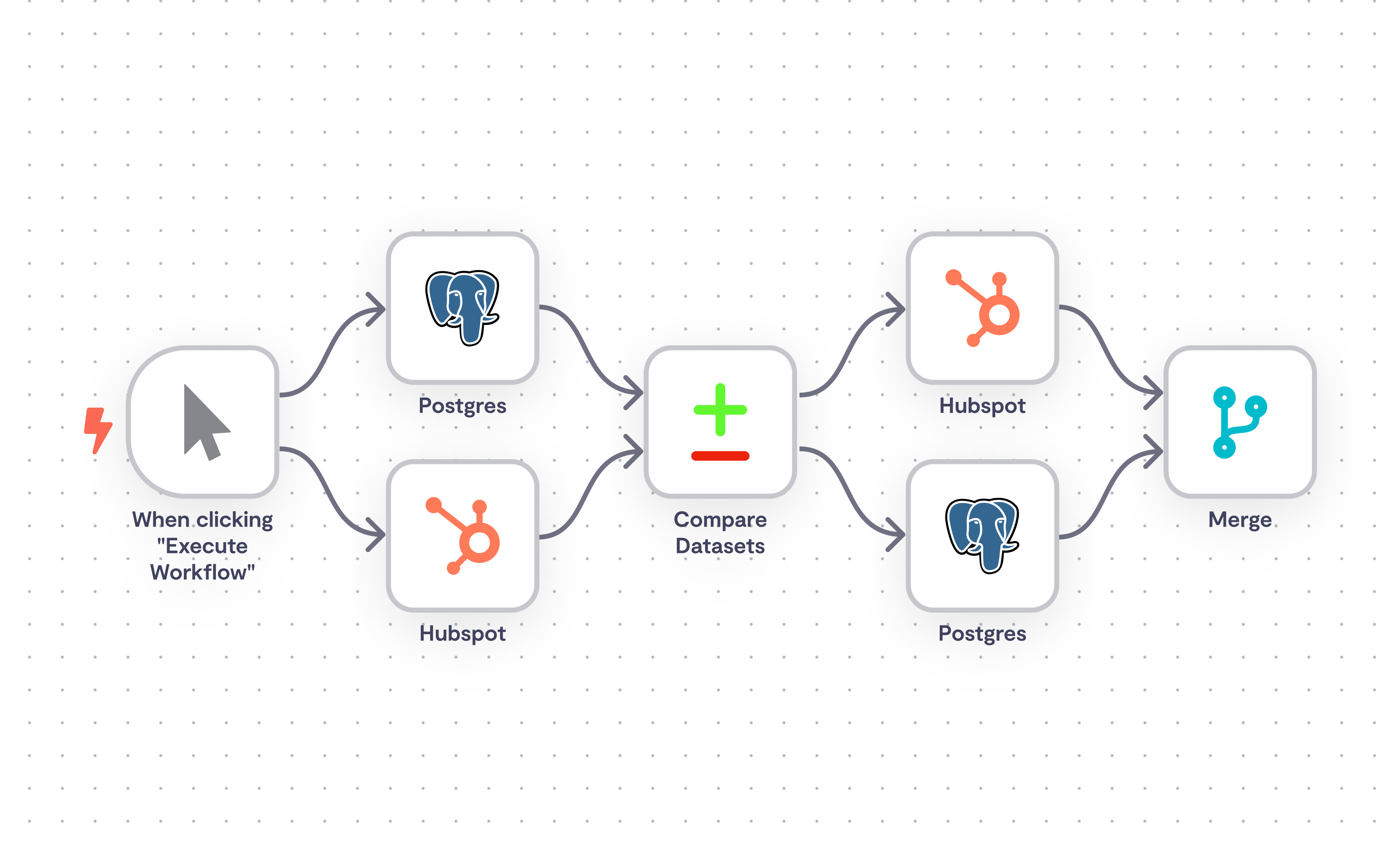
Before any write happens, the workflow checks for a valid phone number format, a plausible email if one was captured, and whether a record with that phone number or email already exists in the CRM. This is a lookup call to the CRM's API, not a guess. If a match exists, the workflow updates the existing record and logs an interaction instead of creating a duplicate contact. This single step prevents most of the CRM mess that automation projects otherwise cause. A failed lookup should trigger an error branch that retries or alerts a human, not silently drop the lead.
Enrichment and lead scoring nodes
Once a lead passes validation, enrichment nodes can pull in extra context: company domain lookups, location inference from a phone number's area code, or a match against an existing customer list. Scoring then applies simple rules (budget mentioned, urgency keywords, company size threshold) to assign a priority tag. This doesn't need to be a machine learning model. A well-built rules engine in n8n handles 90% of real-world lead scoring needs.
Routing high-value leads to sales, nurturing the rest
High-scoring leads get routed to a sales rep immediately, usually via a Slack or WhatsApp notification with the lead's context attached. Lower-priority leads get added to a nurture sequence instead of sitting in a rep's queue untouched. This routing split is what turns a data pipeline into an actual sales tool rather than a firehose of undifferentiated contacts.
Pushing to HubSpot, Salesforce, Zoho, or a custom CRM
The final step writes the validated, scored, and routed lead into whichever CRM the business runs. n8n has native nodes for HubSpot, Salesforce, and Zoho, and a generic HTTP request node handles anything with a REST API, including custom-built CRMs. This is genuinely the easy part of the build. Most of the engineering effort goes into everything upstream of this node.
WhatsApp as a lead capture source for South African businesses
Why a WhatsApp-initiated chat should create a CRM lead automatically
For most South African businesses we work with, WhatsApp is the first point of contact, not a fallback. A customer messages a business number directly instead of filling in a form. If that message doesn't automatically create or update a CRM record, the business loses visibility into a huge share of its actual pipeline. The workflow needs to treat an inbound WhatsApp message with the same seriousness as a form submission, because it usually represents higher intent.
WhatsApp Business app vs API limits for lead capture at scale
The free WhatsApp Business app works for a single phone, manual replies, and low volume. It has no webhook access, so it cannot feed n8n automatically. The WhatsApp Business API is what makes automated lead capture possible, since it exposes webhooks n8n can subscribe to and supports multiple agents on one number. If you're deciding between the two, our breakdown of WhatsApp Business API vs the app covers the practical differences in depth.
What this costs in ZAR after Meta's per-message pricing shift
Meta moved WhatsApp Business API pricing to a per-conversation model, with different rates for marketing, utility, and service conversations, and free customer service windows within a 24-hour reply window. For a South African business running a few hundred lead conversations a month, the direct messaging cost is usually a small line item next to hosting and setup. We break down what WhatsApp automation costs in ZAR with current rate examples. If lead conversations feed into payment processing via Yoco or PayFast, those integrations can also live in the same n8n workflow to keep the entire customer onboarding loop in one place.
n8n vs Zapier vs Make for CRM lead automation
Per-execution pricing vs per-task pricing, why it matters at scale
Zapier bills per task, where each action in a multi-step workflow counts as a separate task against your monthly quota. A lead workflow with validation, dedup lookup, enrichment, scoring, and a CRM push can burn five or six tasks per lead. n8n's cloud pricing is based on workflow executions, not individual steps, and self-hosted n8n has no per-task cost at all beyond your own server. At volume, this difference compounds fast.
Integration count vs actual control over the workflow logic
Zapier and Make win on integration count and setup speed for simple, linear workflows. n8n wins on control: conditional branching, custom code nodes, error handling paths, and the ability to build genuinely complex logic without hitting a wall the simpler tools impose by design. For lead capture specifically, where dedup and scoring logic tends to get complicated fast, that control matters more than integration breadth. See the full n8n vs Make vs Zapier comparison for a deeper side by side.
When Zapier is genuinely the better call
If you're a solo founder with one lead source and one CRM, and the workflow is genuinely three steps, Zapier's setup speed and support might outweigh the cost difference. It's worth being honest about this rather than pretending n8n is always the right call. The crossover point is usually when you add a second lead source or need conditional routing.
POPIA and data handling in a lead capture workflow
What POPIA actually requires from an automated intake pipeline
POPIA requires a lawful basis for processing personal information, purpose limitation (only collect what you'll actually use), and reasonable security safeguards. For an automated lead pipeline, this means capturing explicit consent at the point of intake, not retrofitting a checkbox weeks later, and being able to show what data you hold on a given contact and why. This is the part most generic lead capture guides skip entirely, because they're written for markets without POPIA's requirements.
Audit trails, consent capture, and data retention in n8n
A properly built workflow logs a timestamp and consent flag at the moment a lead is captured, whether that consent comes from a form checkbox or an opt-in reply in a WhatsApp chat. This audit trail lives alongside the CRM record so you can answer a data subject access request without digging through message history manually. Our guide on what POPIA compliance actually requires for WhatsApp automation goes into the consent capture patterns we use.
Self-hosting vs cloud n8n for data residency concerns
Cloud n8n runs on infrastructure outside South Africa, which is fine for most businesses but worth flagging if you're in a regulated industry with strict data residency requirements. Self-hosting n8n on local or regionally-hosted infrastructure gives you full control over where lead data physically sits. We cover the tradeoffs in self-hosting n8n vs using the cloud version, including the maintenance cost of running your own instance.
What this costs to build and run in South Africa
n8n hosting and execution costs
Self-hosted n8n on a small cloud server runs a business perhaps R150 to R400 a month in infrastructure, depending on volume. n8n's cloud starter tier costs more but removes the server management overhead entirely. For most small to mid-sized businesses, this is a rounding error next to the value of faster, cleaner lead handling.
WhatsApp Business API costs on top of the automation
On top of hosting, you're paying Meta's conversation-based messaging fees and typically a monthly fee to a Business Solution Provider that gives you API access, since Meta doesn't onboard businesses directly at small scale. Together these usually land in the low thousands of rand per month for a business running consistent lead volume through WhatsApp.
Build cost: DIY vs agency-built workflow
Building this yourself is possible if you have someone comfortable with APIs and webhook logic, and the time to debug the inevitable edge cases (a voice note with no text, a lead ad with a blank phone field). An agency build compresses that timeline and usually gets the error handling right the first time, since we've hit most of these edge cases before. This is the kind of pattern-matching an AI automation agency in South Africa actually builds, rather than a generic integration.
Common mistakes that break lead capture automations
No deduplication logic, so the CRM fills with duplicate contacts
The single most common failure mode. Without a lookup step before record creation, every repeat inquiry from the same person creates a new contact instead of updating the existing one. Within months the CRM is unusable for reporting because the same person exists as three or four separate records. This is invisible until someone asks why a known lead never showed up in the CRM.
Treating n8n as a CRM replacement instead of the automation layer
Some teams try to build reporting dashboards and pipeline views inside n8n itself. This is the wrong tool for that job. n8n should move data into a system built for pipeline management, not become one.
Ignoring error-handling branches when an API call fails
CRM APIs go down, rate limits get hit, phone number formats don't validate. Without an error branch that retries or alerts a human, a failed API call silently drops a lead instead of surfacing the problem. This is invisible until someone asks why a known lead never showed up in the CRM.
Common questions
Does n8n integrate with HubSpot for lead automation? Yes. n8n has a native HubSpot node that supports creating and updating contacts, deals, and companies, plus searching for existing records before writing new ones. This makes it straightforward to build the validation and dedup logic described above directly against HubSpot's contact database without custom API code.
What's the difference between the WhatsApp Business app and the WhatsApp Business API for lead capture? The app is a free single-phone tool with no webhook access, so it can't feed data into n8n automatically. The API exposes webhooks and supports multiple agents, making automated capture, routing, and CRM pushes possible. Any business wanting automated WhatsApp lead capture needs the API, not the app.
Is WhatsApp Business API lead capture POPIA compliant? It can be, but compliance isn't automatic. You need explicit consent capture at the point of contact, a documented lawful basis for processing, and the ability to produce or delete a person's data on request. The API itself doesn't handle this for you, the workflow around it does.
How much does WhatsApp Business API cost in South Africa for lead automation? Costs come from two places: Meta's per-conversation messaging fees (varying by conversation type) and a monthly fee to a Business Solution Provider for API access. For moderate lead volume, total costs typically land in the low thousands of rand per month, though exact figures depend on message volume and provider chosen.
Is there still a free tier for WhatsApp Business API messaging? Meta offers a free customer service window: replies within 24 hours of a customer-initiated message don't incur conversation charges. Business-initiated conversations, including marketing and most utility messages, are billed per conversation regardless of volume tier.
n8n vs Zapier: which is better for CRM automation for a small South African business? For a single lead source feeding one CRM with simple logic, Zapier's speed to set up may win. Once you add a second source, need deduplication logic, or want to control costs at volume, n8n is the better call because it charges per execution, not per step, and gives far more control over branching logic.
How do you prevent duplicate leads when automating CRM intake? Run a lookup against the CRM by phone number or email before creating any new record. If a match exists, update that record and log the new interaction instead of creating a fresh contact. This single check, done consistently at the start of the workflow, prevents nearly all duplicate contact issues.
Can n8n replace a CRM entirely? No. n8n has no pipeline view, deal stages, or reporting layer built for sales teams. It's an orchestration tool that moves and cleans data between systems. The CRM remains your system of record. Trying to use n8n as a CRM replacement usually creates more manual work, not less.
How do you score and qualify leads automatically in n8n? Most builds use a rules-based scoring node: assign points for budget mentions, urgency keywords, company size, or matching an ideal customer profile field, then sum the score to a priority tag. This doesn't require machine learning, a well-configured rules engine handles the majority of real-world lead qualification needs reliably.
We've built this exact pattern for clients where the WhatsApp-to-clean-lead step, not the CRM push, was the real engineering work. You can see how this pattern worked in a real lead intelligence build, or look through Sagentics AI automation services for the broader picture of what we build.
If you're weighing up building this yourself or having it built properly the first time, message us on WhatsApp and we'll talk through what your setup actually needs.
Common questions
Does n8n integrate with HubSpot for lead automation?
Yes. n8n has a native HubSpot node that supports creating and updating contacts, deals, and companies, plus searching for existing records before writing new ones. This makes it straightforward to build validation and dedup logic directly against HubSpot's contact database without custom API code.
What's the difference between the WhatsApp Business app and the WhatsApp Business API for lead capture?
The app is a free single-phone tool with no webhook access, so it can't feed data into n8n automatically. The API exposes webhooks and supports multiple agents, making automated capture, routing, and CRM pushes possible. Any business wanting automated WhatsApp lead capture needs the API, not the app.
Is WhatsApp Business API lead capture POPIA compliant?
It can be, but compliance isn't automatic. You need explicit consent capture at the point of contact, a documented lawful basis for processing, and the ability to produce or delete a person's data on request. The API itself doesn't handle this for you, the workflow around it does.
How much does WhatsApp Business API cost in South Africa for lead automation?
Costs come from two places: Meta's per-conversation messaging fees (varying by conversation type) and a monthly fee to a Business Solution Provider for API access. For moderate lead volume, total costs typically land in the low thousands of rand per month, though exact figures depend on message volume and provider chosen.
Is there still a free tier for WhatsApp Business API messaging?
Meta offers a free customer service window: replies within 24 hours of a customer-initiated message don't incur conversation charges. Business-initiated conversations, including marketing and most utility messages, are billed per conversation regardless of volume tier.
n8n vs Zapier: which is better for CRM automation for a small South African business?
For a single lead source feeding one CRM with simple logic, Zapier's speed to set up may win. Once you add a second source, need deduplication logic, or want to control costs at volume, n8n is the better call because it charges per execution, not per step, and gives far more control over branching logic.
How do you prevent duplicate leads when automating CRM intake?
Run a lookup against the CRM by phone number or email before creating any new record. If a match exists, update that record and log the new interaction instead of creating a fresh contact. This single check, done consistently at the start of the workflow, prevents nearly all duplicate contact issues.
Can n8n replace a CRM entirely?
No. n8n has no pipeline view, deal stages, or reporting layer built for sales teams. It's an orchestration tool that moves and cleans data between systems. The CRM remains your system of record. Trying to use n8n as a CRM replacement usually creates more manual work, not less.
How do you score and qualify leads automatically in n8n?
Most builds use a rules-based scoring node: assign points for budget mentions, urgency keywords, company size, or matching an ideal customer profile field, then sum the score to a priority tag. This doesn't require machine learning, a well-configured rules engine handles the majority of real-world lead qualification needs reliably.
About Sagentics
Sagentics is an AI systems studio based in South Africa. We design and build WhatsApp automation, n8n workflows, and custom AI products for local and international clients. We write from systems we have actually shipped.
Start a WhatsApp conversation with SagenticsRelated reading
- Document automation for quotes and invoices: how to build the full loop in n8n
- n8n workflow automation guide: what it is, what it costs, and whether it's right for your business
- n8n vs Make vs Zapier: which one actually wins in 2026
- Self-hosting n8n vs cloud: what actually decides it
- what n8n actually is and what it costs to run
- full n8n vs Make vs Zapier comparison
- self-hosting n8n vs using the cloud version
- WhatsApp Business API vs the app
- what POPIA compliance actually requires for WhatsApp automation
- what WhatsApp automation costs in ZAR
- what an AI automation agency in South Africa actually builds
- Sagentics AI automation services
- see how this pattern worked in a real lead intelligence build